
How to Check & Book a SportyBet Slip
Every SportyBet ticket uses a 6-character code, such as P2VQTT. When you load the code, SportyBet opens the ticket with every game and odd.
This guide shows how to open a booking code on SportyBet, how to book new tickets, and how to check slips online without logging in.
What a SportyBet booking code holds
The code holds your games, markets, and current odds. It does not hold money. You choose your stake after the ticket loads.
SportyBet codes work on mobile web, desktop, and the Android or iOS apps. You can share the code with friends or post it on social groups.
Open the ticket on SportyBet
Open SportyBet
Open sportybet.com on your phone or use the mobile app. The design is identical on both.
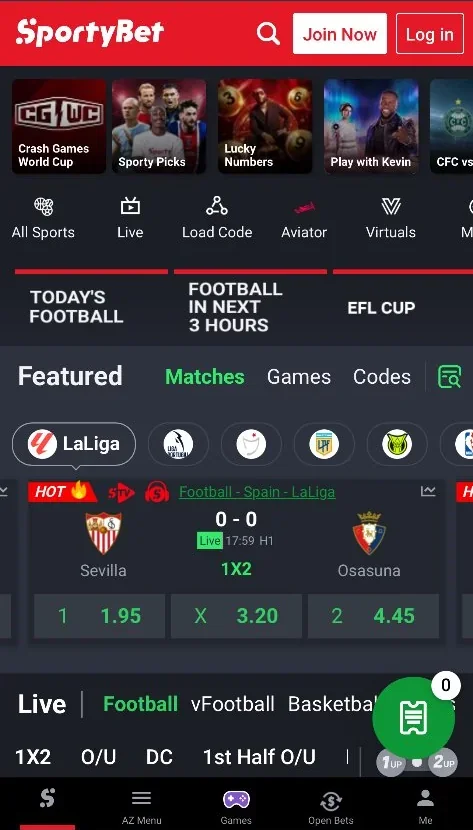
Find Load Code
Tap Load Code in the top menu bar. You can also tap the floating green ticket button at the bottom right.
Enter the booking code
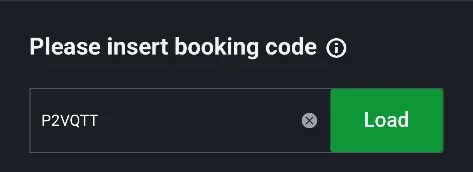
Type or paste your 6-character code into the Please insert booking code field.
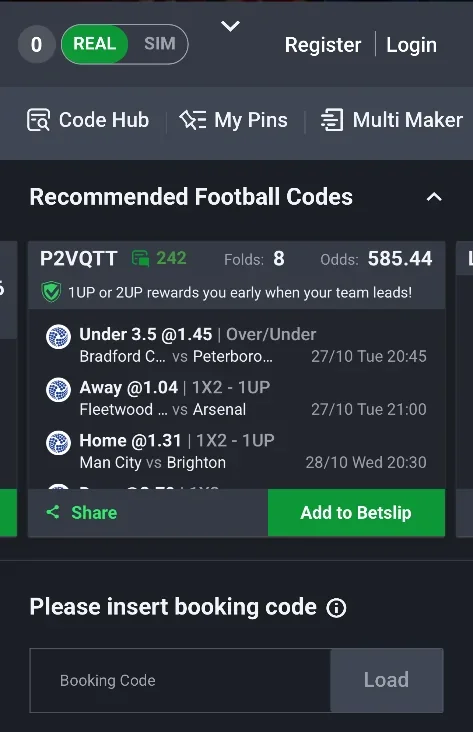
This screen is the Code Hub. Tap Load
The Load button turns bright green once you enter the code. Tap Load to open your ticket.
Review your games
SportyBet displays every game, the chosen market, and current odds. Tap X on any game to remove it.
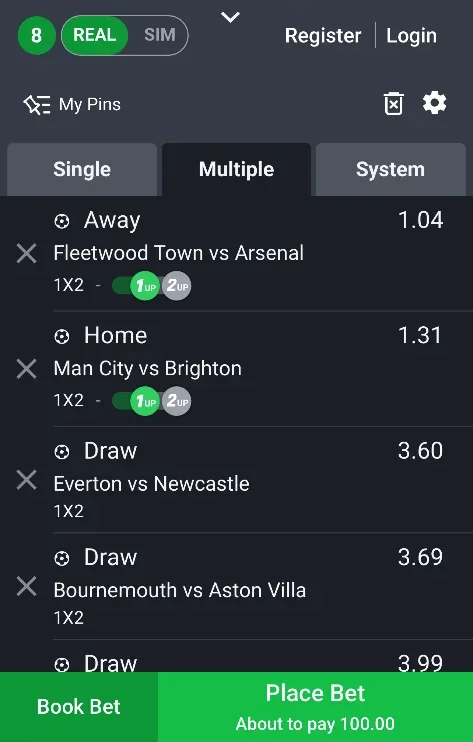
A loaded ticket with 8 games. Choose Book Bet or Place Bet
Tap Book Bet to generate a shareable code. Tap Place Bet to stake real money from your balance.
What the loaded slip shows
SportyBet displays four critical items on each game card:
- Match pairings and kickoff times.
- Market names, for example 1X2 with 1UP or 2UP early payout promotions.
- Current odds for each individual game.
- Total combined odds at the bottom of the slip.
At the bottom of the loaded slip (step 5) there are two buttons. Book Bet (left outlined button) creates a shareable booking code. Place Bet (solid green button) stakes your money and confirms the bet.
Check a SportyBet slip without logging in
Open our bet slip viewer. Select SportyBet, paste the 6-character code, and view the ticket instantly.
Our tool displays match times, markets, odds, and live game status. You can also convert the ticket into Bet9ja, 1xBet, or MSport codes.
SportyBet booking code questions
What is the difference between Book Bet and Place Bet on SportyBet?
Book Bet generates a shareable booking code. It does not stake money. Place Bet stakes money from your account balance to place the bet.
Do I need a SportyBet account to check a booking code?
No. You can load and check any SportyBet code while logged out. You only need an account when you tap Place Bet.
How many characters are in a SportyBet booking code?
A SportyBet booking code always contains 6 alphanumeric characters, for example P2VQTT. It never contains spaces.
Can I remove games from a loaded SportyBet ticket?
Yes. Tap the grey X icon next to any game on the loaded betslip to remove it before booking or staking.
Can I check a SportyBet slip here without using the SportyBet app?
Yes. Open our bet slip checker, select SportyBet, and paste the code. You see every game and live score.
How do I convert a SportyBet code to Bet9ja or 1xBet?
Use our bet code converter. Pick SportyBet as source and Bet9ja as target. It rebuilds the ticket instantly.
Next steps
Convert the ticket, check another bookmaker, or view another slip.